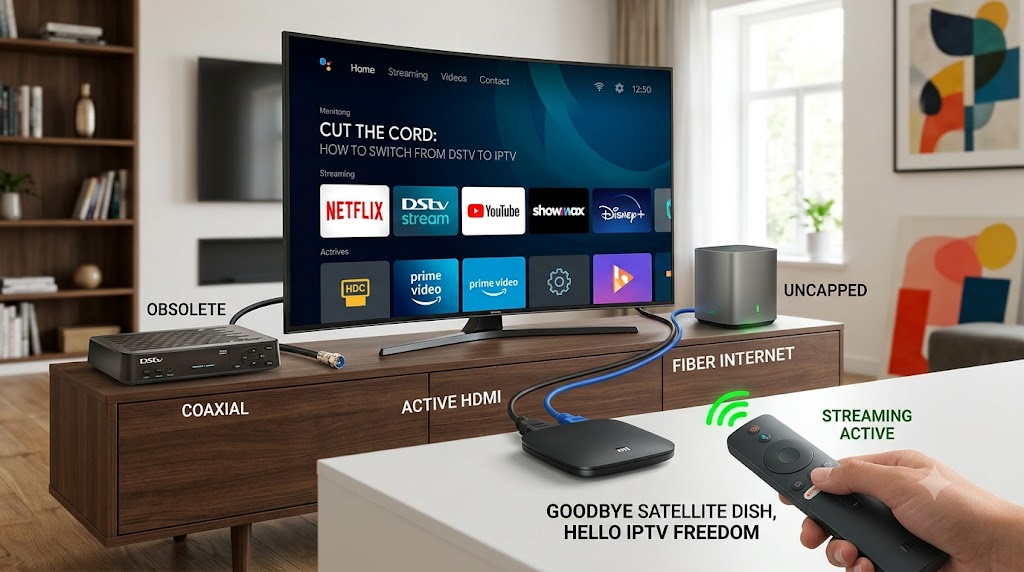
How to Switch from DStv to IPTV: The Ultimate Cord-Cutter's Guide
If you've been watching your monthly DStv bill creep higher year after year, you are far from alone. Between regular price hikes and the widespread availability of high-speed uncapped fibre, thousands of households are asking the same question: "Is it finally time to cut the satellite cord?"
Transitioning to IPTV — watching your channels, live sports, and movies over an internet connection rather than a satellite dish — is the most effective way to modernise your viewing experience and slash your monthly entertainment costs. This guide covers everything you need to make the switch seamlessly.
How IPTV Works
Traditional DStv relies on a physical satellite dish to capture signals and send them to your decoder. IPTV bypasses all of that hardware — video data is sent in packets over your home internet connection, exactly like loading a YouTube video. When you switch, you gain access to:
Thousands of movies and TV series you can start, pause, and rewind at any time — Netflix, Disney+, Showmax, Prime Video, and more.
Real-time broadcasts of local news, international channels, and live sporting events — including DStv Stream plans that keep your SuperSport channels without a dish or decoder.
Check Your Internet Connection First
The biggest mistake cord-cutters make is cancelling DStv before verifying their home network can handle the load. Any dip in speed will result in buffering during a big match or movie climax.
Choose Your Hardware
Once you cancel your satellite contract, your old DStv decoder becomes obsolete. You have three hardware paths depending on your current setup:
If your TV runs Android TV, Google TV, Samsung Tizen, or LG webOS, you need zero new hardware. Connect to Wi-Fi or Ethernet, open the App Store, and download your streaming apps directly.
If your TV is older or has a slow interface, a streaming box plugs into any HDMI port and transforms it into a high-speed smart hub.
| Device | Best For | Setup |
|---|---|---|
| Xiaomi TV Box S / Mi TV Stick | Best overall value | Very Easy |
| Google Chromecast with Google TV | Modern Google interface & voice control | Very Easy |
| Amazon Fire TV Stick | Budget-conscious buyers | Easy |
| Apple TV 4K | Premium speed & Apple ecosystem | Very Easy |
Want the familiar DStv layout and remote but without the dish? The DStv Streama is a dishless, internet-only box pre-loaded with DStv Stream and other major streaming apps.
Select Your IPTV Apps & Services
Rather than paying one giant bill for channels you never watch, IPTV lets you build exactly the bouquet you want:
The Step-by-Step Transition Sequence
Do not cancel DStv immediately. Follow this dual-run migration plan to ensure your household is never left with a blank screen.
Get Your Uncapped Internet Ready
Ensure your uncapped fibre line is active and delivering the speeds you paid for. Run a speed test to confirm at least 20 Mbps download.
Set Up Your Streaming Device
Plug your media streaming box into your TV's HDMI port, connect it to power, and link it to your home Wi-Fi or Ethernet network.
Install and Configure Your Apps
Open your device's app store. Download and log into your chosen services (DStv Stream, Netflix, Showmax, etc.). Organise your home screen so your most-used apps are front and centre.
Run a Parallel Trial for One Week
Keep your satellite DStv active while you rely entirely on your new IPTV setup. Test performance during peak hours — Saturday afternoon live sports is the real stress test.
Cancel Your DStv Satellite Contract
Once satisfied, log into the MyDStv App or portal to cancel your satellite service. DStv requires a 30-day notice period — time your request to align with your monthly billing cycle.
Is Making the Switch Worth It?
For the vast majority of modern households, the answer is a resounding yes. By cutting the satellite cord and moving to IPTV, you gain complete control over what you watch and — more importantly — what you pay for.
While you trade away the absolute plug-and-play nature of satellite, the massive monthly savings, crisper picture quality, and sheer variety of on-demand content make the digital upgrade incredibly rewarding.
Ready to Cut the Cord?
15,000+ live channels in Full HD & 4K — including DStv & SuperSport content — delivered buffer-free to any screen.
No VPN required. No binding contract. Setup in under 10 minutes.